| | | | | | Your website is supposed to book calls, not collect dust in drafts. When you're juggling sales, delivery, and admin, a site update steals an afternoon. | You need clear pages and a publish button, not another redesign project. | Here's the workflow. |
| |
| | |
| | | | | This Week's Example | We emulated a solo consultant launching a service business who needed a homepage, services, work samples, and a contact page. We aimed for a live site in under 30 minutes with copy that sounded human. And Hostinger's AI Website Builder let's you do all that and more. | | Why Hostinger Works | ✅ Generates a page set from a short brief, so you start with structure instead of a blank canvas | ✅ Builds the first draft in seconds, cutting hours of setup into one pass | ✅ Lets you drag, drop, and resize sections with simple guides, so edits stay predictable | ✅ Pulls free images and video inside the editor, so placeholders go away fast | | How We Did It | Here's the loop you can repeat for a fresh site, a new offer page, or a quick refresh when your business changes.
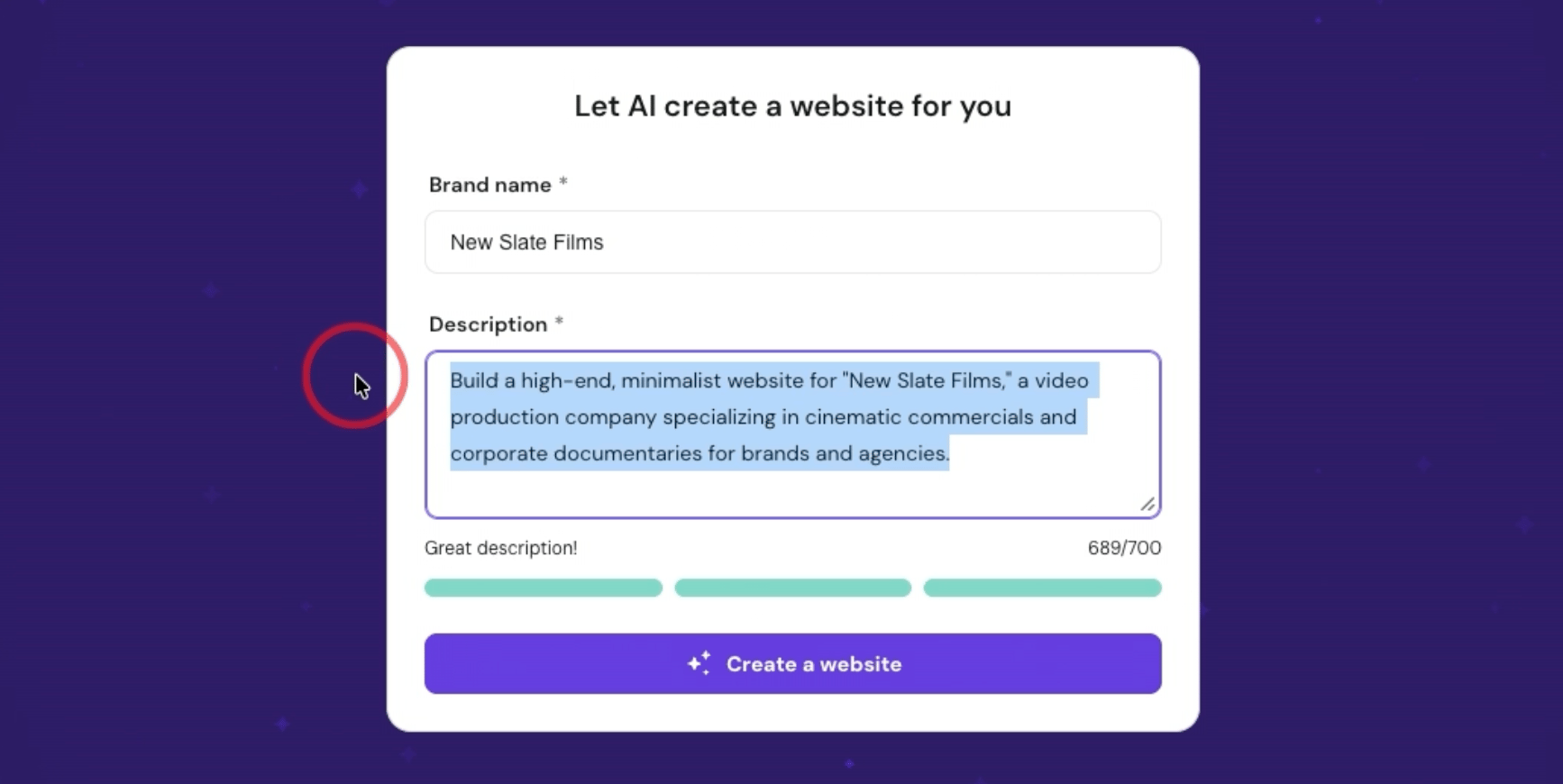
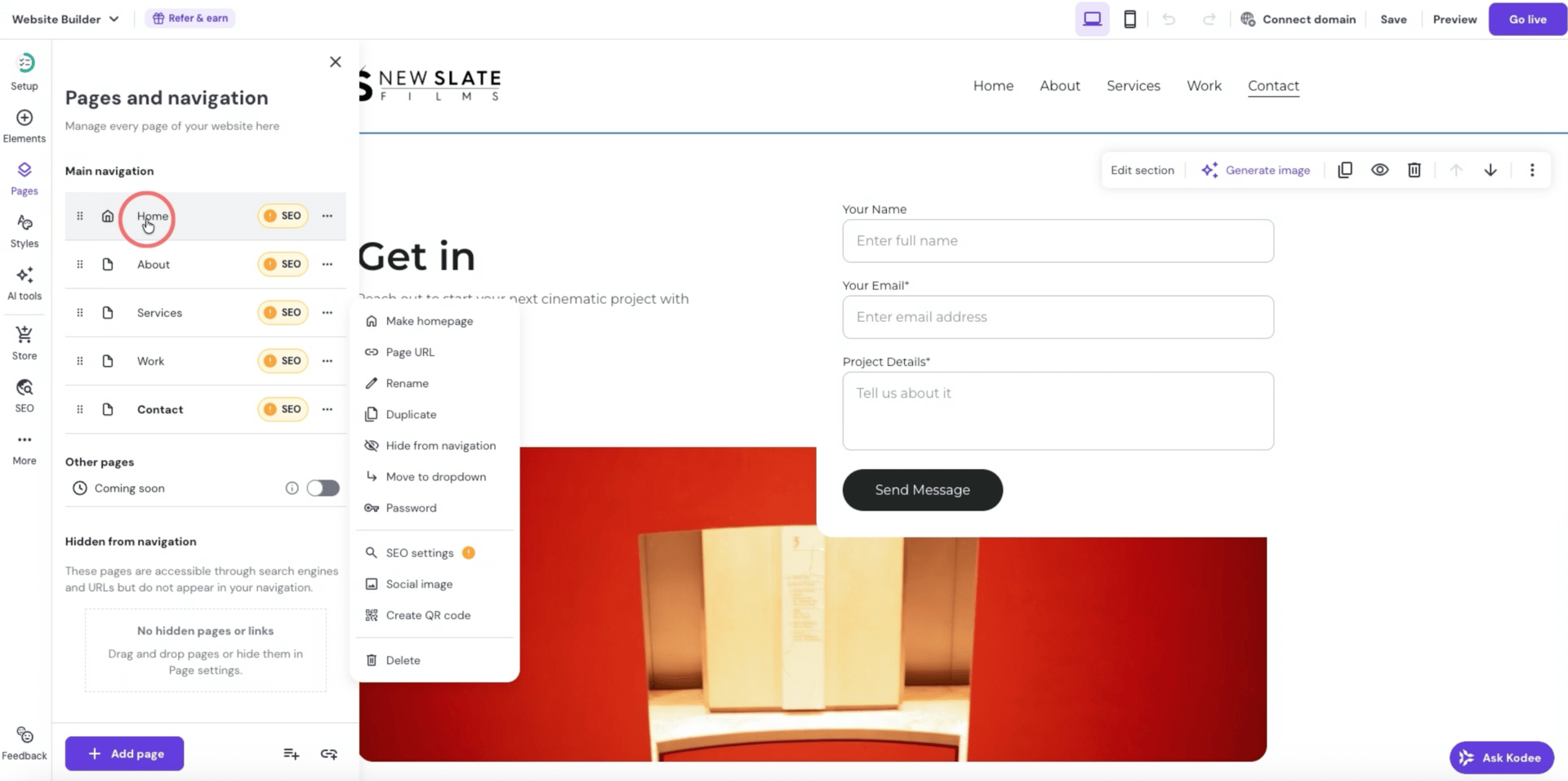
| 1. Write a short, specific site brief | Start in a chatbot and draft 5 to 7 lines that cover what you do, who it's for, and the pages you need (Home, About, Services, Work, Contact). Then compress it under 700 characters so it fits the Hostinger description box. This keeps the builder from guessing, and it saves you 15 minutes of fixing missing pages later. | | 2. Generate the first draft inside Hostinger | In your Hostinger dashboard, go to Websites, click Add Website, then choose the AI drag and drop website builder. Add your brand name, paste the brief, and generate. | In about 10 seconds, you should see a homepage plus the pages you listed. Treat this like a first pass that has navigation set. | | 3. Swap in your logo & clean the menu | Replace the placeholder logo first, since it instantly makes the site feel like yours. | Next, open the Pages panel and rename anything that sounds generic, then reorder the menu so it follows your visitor's path (Home, Services, Work, About, Contact). If a page is not ready yet, hide it instead of leaving half-finished sections live. | |
| |
| | |
| | | | | 💫 Level Up | Go from idea to a live site in less than an hour | | In Skill Leap's brand new AI Website Builder Crash Course, you will plan, build, and publish a real website using AI without writing code. You will use ChatGPT to define your goal, map your pages, and generate simple copy, then launch with Hostinger for fast templated sites or Lovable when you want more control and flexibility. | Define your website goal with AI so every page has a clear job Outline your pages and structure, then generate starter copy you can refine quickly Build a live service website in Hostinger, understand the editor, then publish Launch a working ecommerce site using Hostinger's AI builder, not just a mockup Use Lovable to plan, build, refine, then deploy or export when you want custom layouts
| From blank page to live link. That is the momentum you need right now. | |
| |
| | |
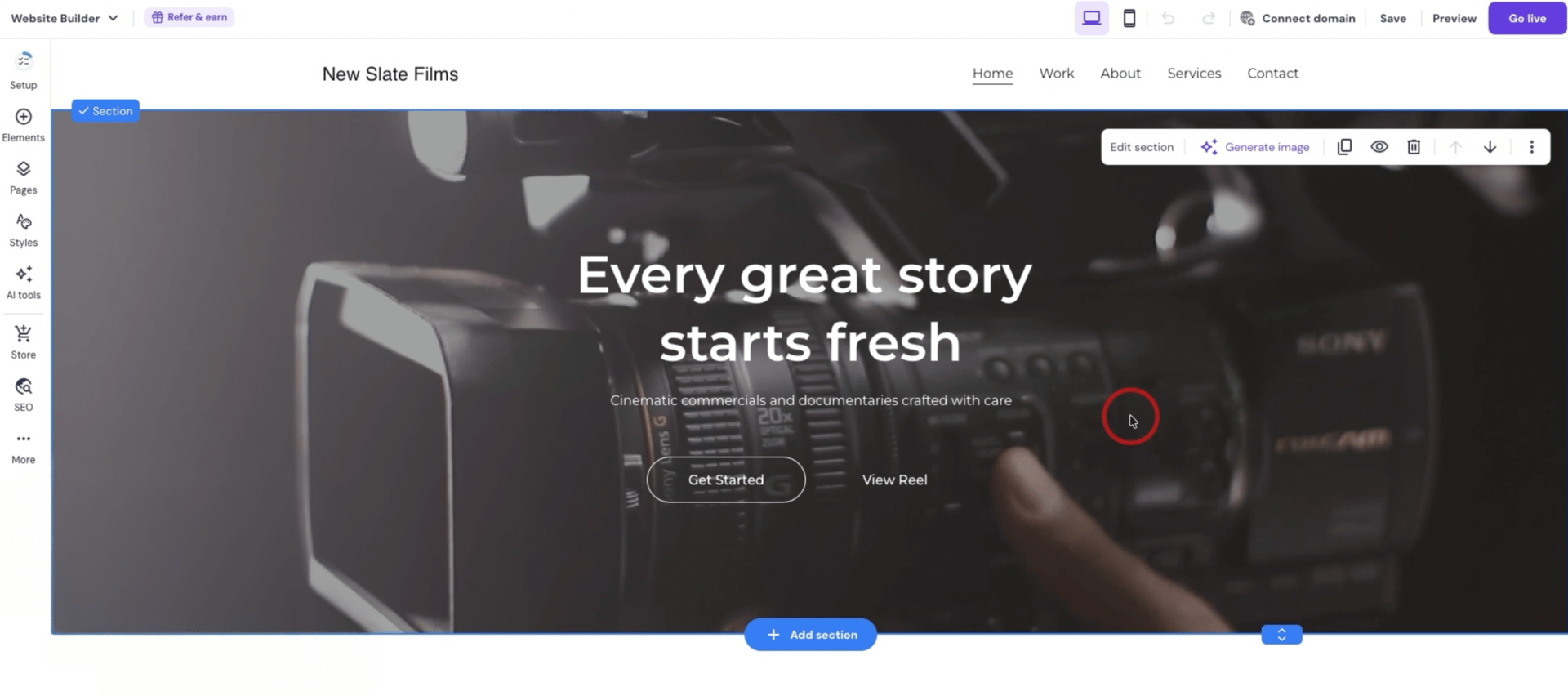
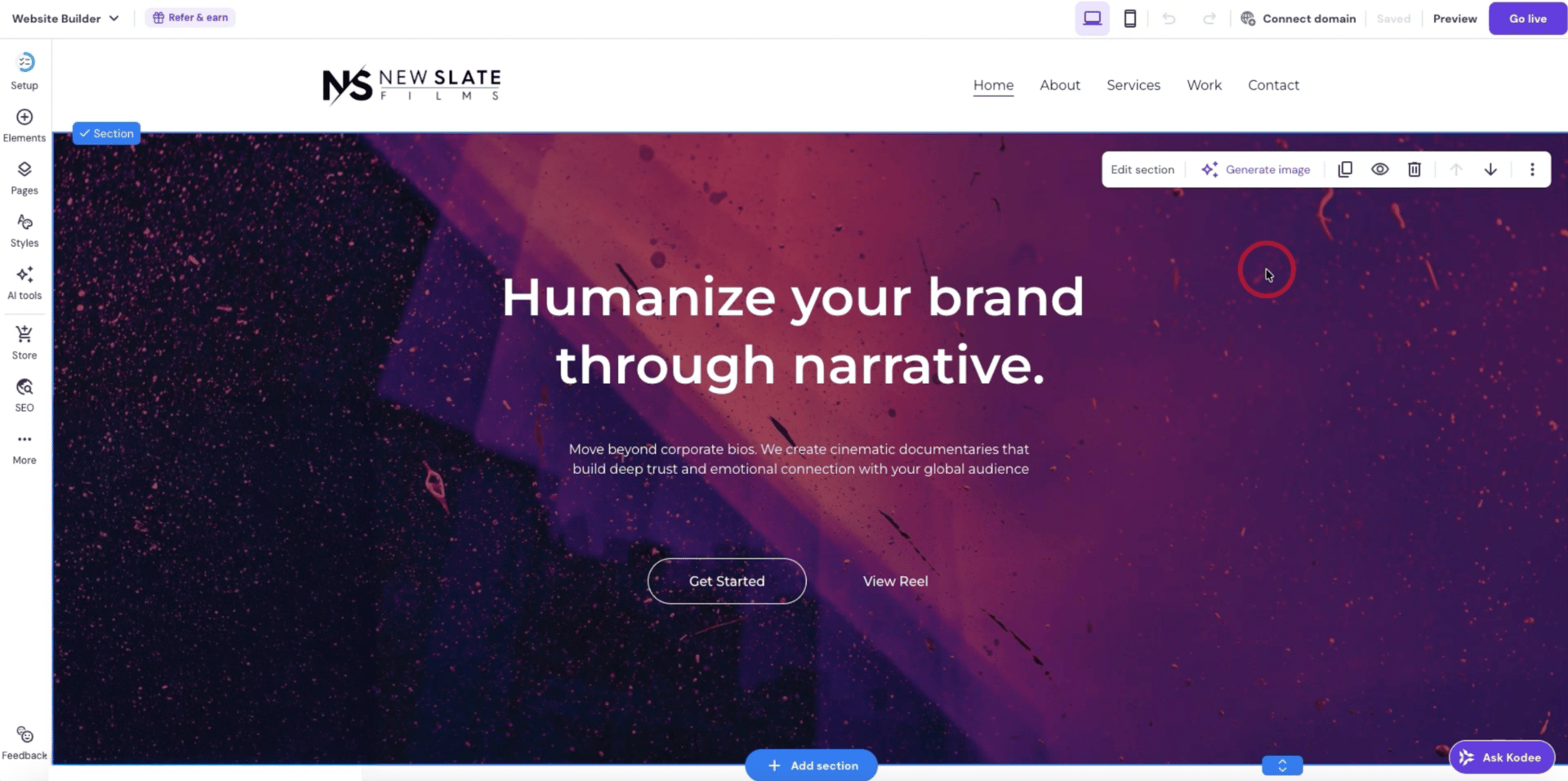
| | | | | 4. Fix the hero so it drives the right action | Your hero is the headline, the supporting line, and the main button. Keep two tabs open. One for the site editor, one for ChatGPT to generate a handful of headline and subheadline options that match your offer. | Paste the best option, then change the button text from "Get started" to what you actually want, like "Request a quote" or "Book a call." | This is often the highest ROI edit because it changes what people do next. | | 5. Replace the background media & remove placeholders | If the background suggests the wrong story, visitors bounce before they read. Replace the default video with an image or short clip from the built-in library, then adjust contrast so the text stays readable. Remove anything fake, like placeholder testimonials, and update the footer with contact details and social links. | Preview mobile, check spacing and button placement, then publish. | This whole pass can fit into a lunch break. | | Other Use Cases | Once you've shipped one site, you can repeat the same pattern whenever an offer, client, or project needs a site.
| 📈 Coach or consultant: Launch a one-page offer site with clear booking or inquiry flow | 🧾 Local service business: Publish a simple site with service area, hours, and a quote form | 🛒 Ecommerce starter: Stand up a basic store layout, then refine product pages as inventory grows | 🧑💼 Agency or freelancer: Keep a portfolio site current without rebuilding from scratch each time | 📚 Recruiter or HR lead: Create a hiring hub with role pages, benefits, and application links | |
| |
| | |
| | | | | | Get your AI tool, agency, or service in front of 280k+ AI enthusiasts 🤝 | |
|
|
| |
| | |
| | | | | 💡Bonus Pro Tips | Compress your brief on purpose: Ask your chatbot to rewrite your site description to 550 to 650 characters while keeping the page list. Better inputs mean fewer weird sections and less cleanup, in one pass. | Draft hero options first: Get 5 headlines, 5 subheads, and 3 button options before you touch the editor, then paste and pick. This keeps you moving. | Hide trust blocks until they're real: If you don't have testimonials or case studies yet, remove the section. A shorter page beats placeholders every time, and you can add proof back later. |
| |
| | |
| | | | | ⏭️ What's Next | Next Tuesday we'll cover yet another workflow that will streamline your work in ways you maybe didn't think of before. | Skill Leap is there when you want guided practice for this workflow and tons more. |
| |
| | |
| |
|




No hay comentarios:
Publicar un comentario